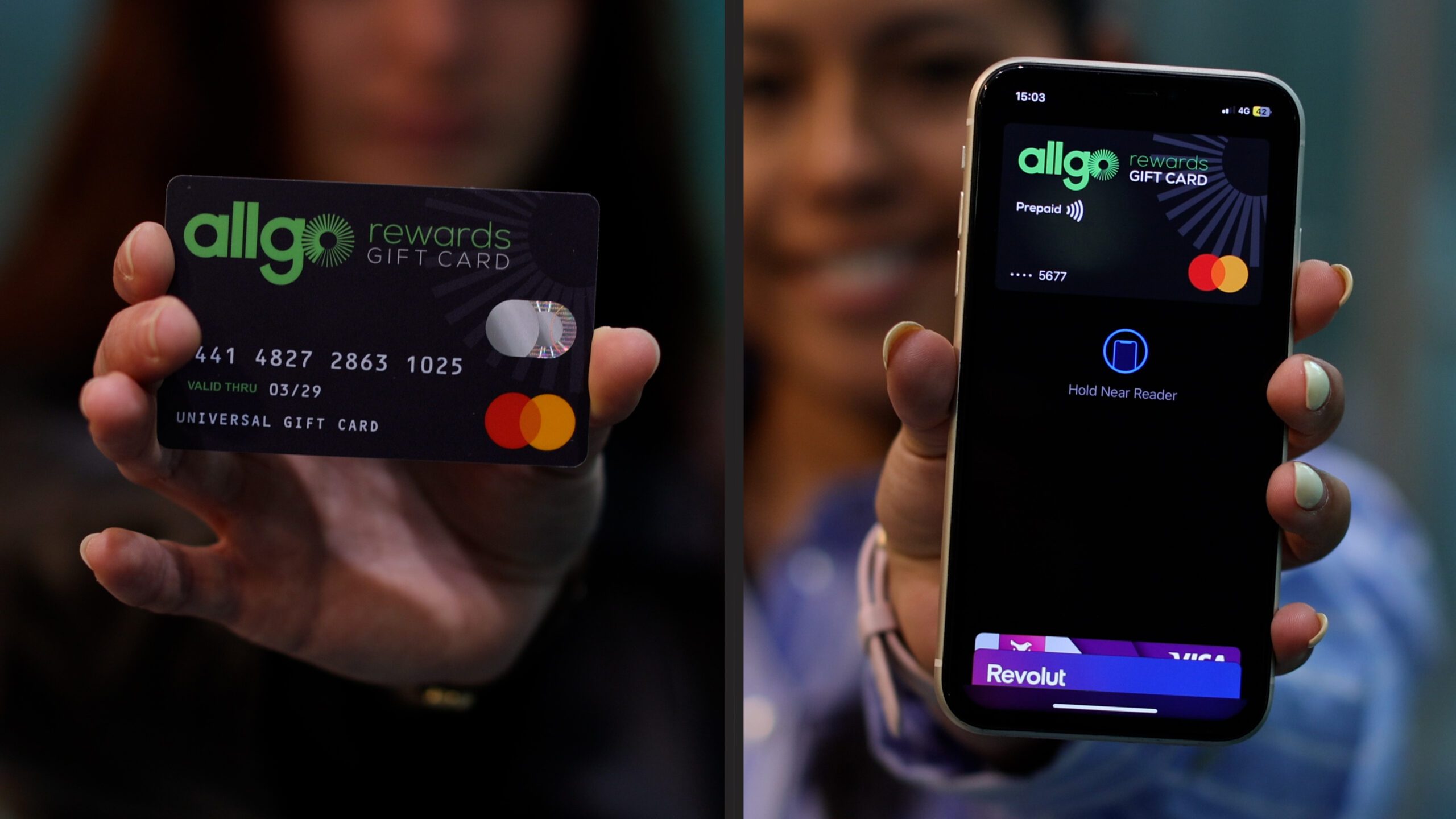
AllGo Digital+ is a Mastercard Gift Card that is emailed to you, and which you can spend online AND add to your mobile wallet – Google Pay or Apple Pay – for spending instore via tap.

Watch Video:
How to Access and Activate your Digital+ Mastercard

You MUST redeem your AllGo Digital+ Mastercard Gift Card before you can use it.
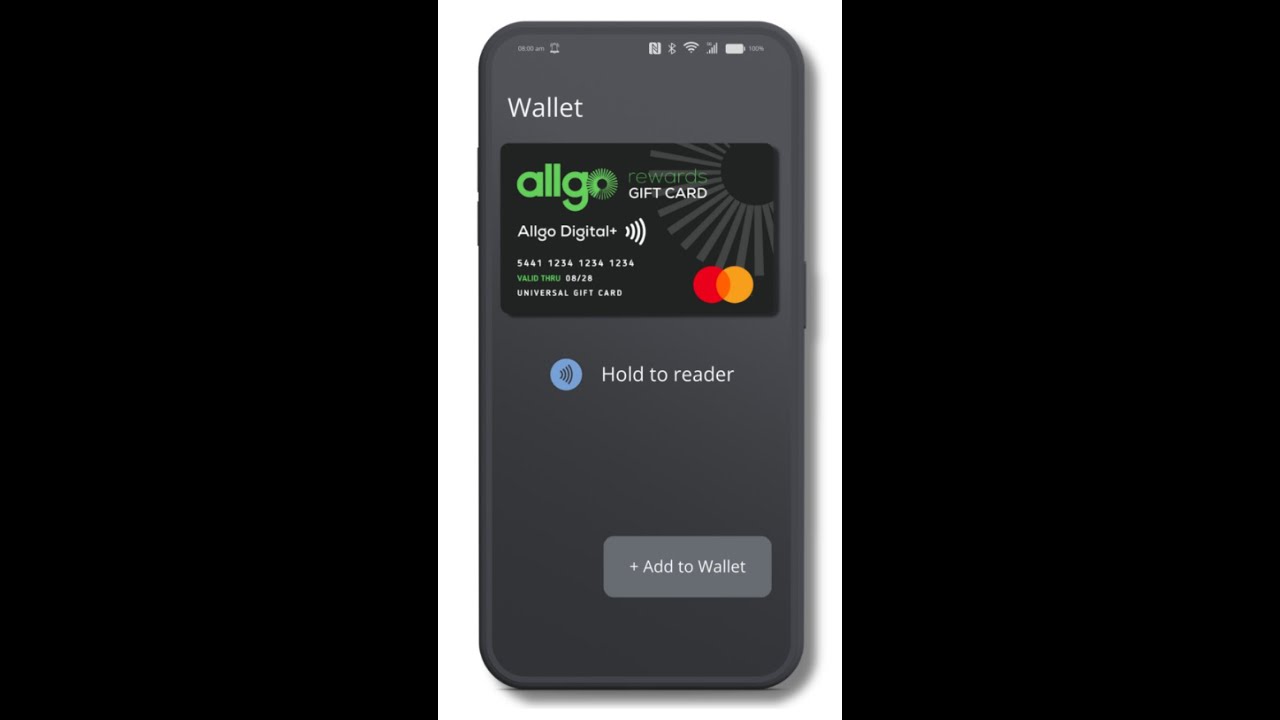
How To Activate your AllGo Digital+ Card
You will receive your Digital+ Card by email from [email protected]. The email will include a message from your company, and a green button to access your card by downloading the Get My eCard mobile app (so you must open the email on your mobile).


From the green email button, download the Get My eCard app from Google Play or the App Store depending on whether you have an Android or Apple iPhone.




Before you email us, post your question into our AI Search Bar below for an immediate response!

+353 1 253 0040
We close at 3pm on Fridays from May to August.
To enable your AllGo Digital+ Gift Card for 3D Secure to securely spend online, follow these steps-
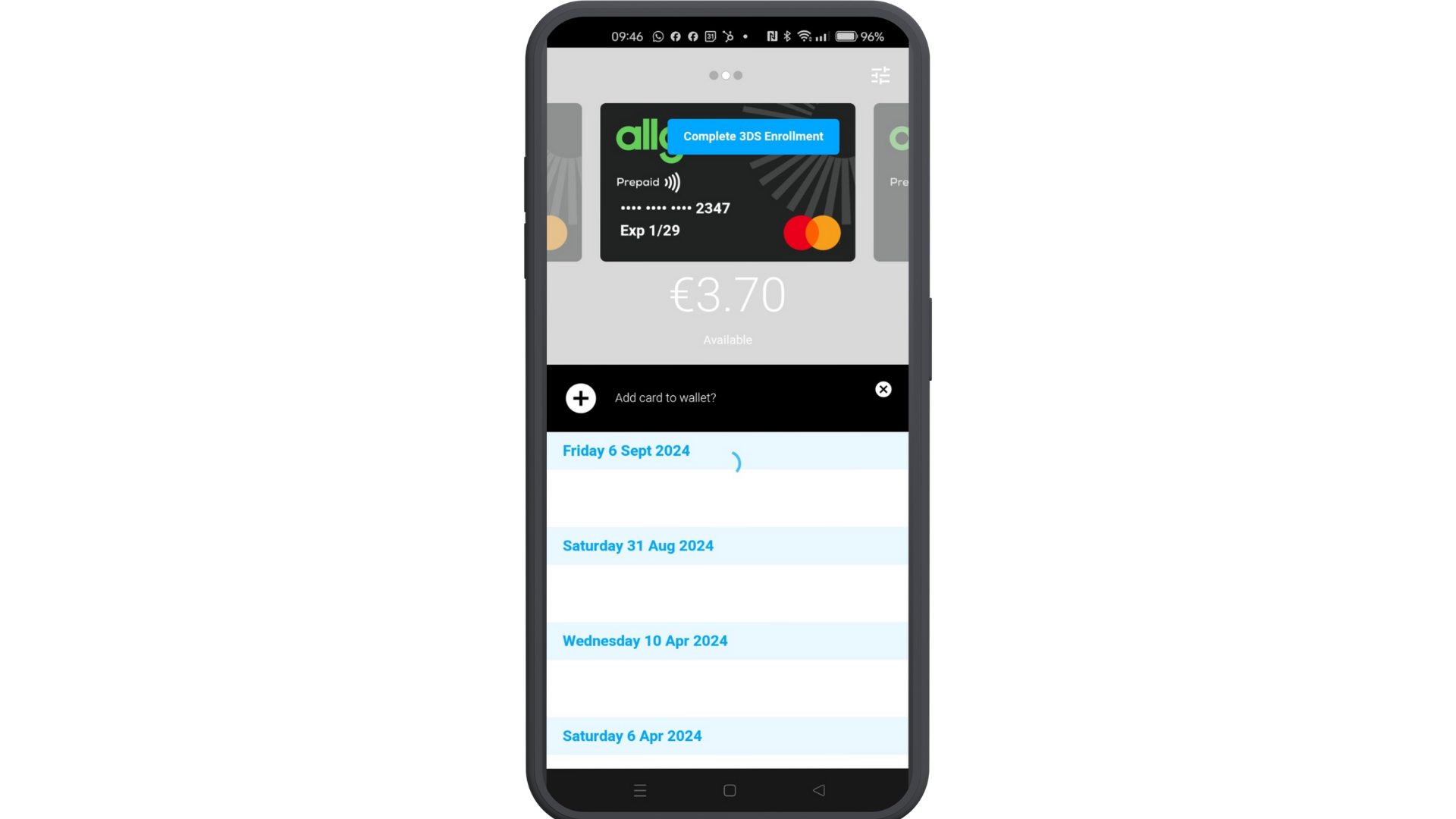

Click the blue “Complete 3DS Enrolment” button on your Digital+ Card in the Get My eCard app.


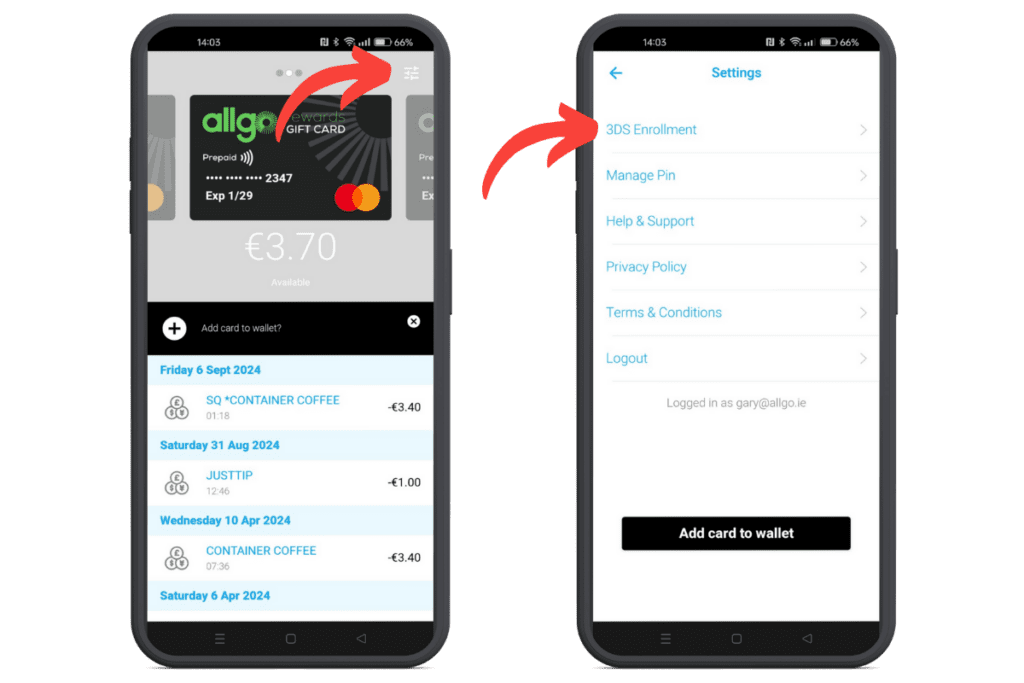
Click the settings icon on your Digital+ Card in the Get My eCard app. In the menu, select 3DS Enrolment.
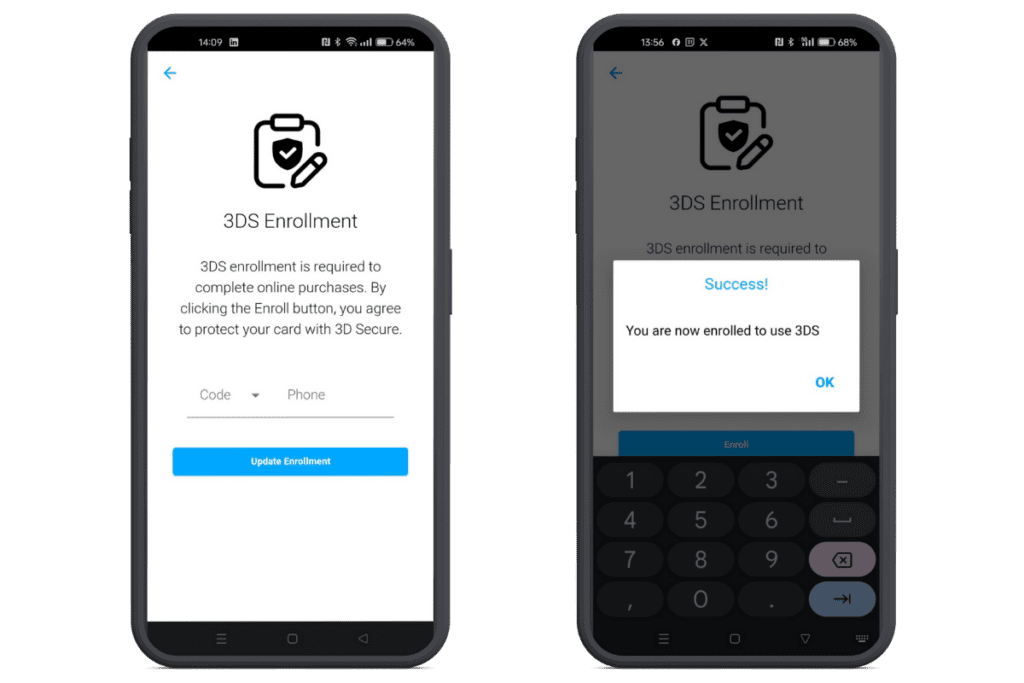
Update your country code and mobile number (without the first 0). Click the Enrol button.
Multiple Cards: If you have multiple cards registered in your app, you need to enable 3D secure for each card individually.
Spending Digital+ Online: When you use your Digital+ card numbers to make a purchase online, you may be sent an SMS to verify the transaction.
Once you have redeemed your AllGo Digital+ card to your Get My eCard app and added it to Google Pay or Apple Pay, you can tap to pay in any of the 100 million retail outlets worldwide that accept Mastercard*.
To spend, make sure you have NFC turned on, and that you have sufficient funds to cover your entire purchase.
*A few spending exceptions and restrictions apply – please see the FAQ section for full details.
To use your card online, you first need to register your card for 3D Secure. To do that, please follow the instructions in the 3D Secure section above.
Then, you can use the card details from the Get My eCard app as a Debit/Credit Card payment method at an online checkout.

After you have redeemed your Digital+ Card, you can find the balance and the full transaction history below the card image in the Get My eCard app.
If your AllGo Digital+ Mastercard is being used fraudulently, you should immediately suspend your card by calling the Lost & Stolen Helpline during business hours on +353 1 513 3656.
To order a Replacement Digital+ Card, please click below
AllGo Digital+ Cards can be spent online AND can be added to Google Pay or Apple Pay.
To receive and access your Digital+ Card, please see the detailed guide here.
Digital+ Spend Instore
Once you have redeemed your AllGo Digital+ card to your Get My eCard app and added it to Google Pay or Apple Pay, you can tap to pay in any of the 37 million retail outlets worldwide that accept Mastercard*.
To spend, make sure you have sufficient funds to cover your entire purchase and NFC turned on on your device.
*A few spending exceptions and restrictions apply – please see the FAQ section for full details.
Digital+ Spend Online
To use your card online, you first need to register your card for 3D Secure. To do that, please follow the instructions here.
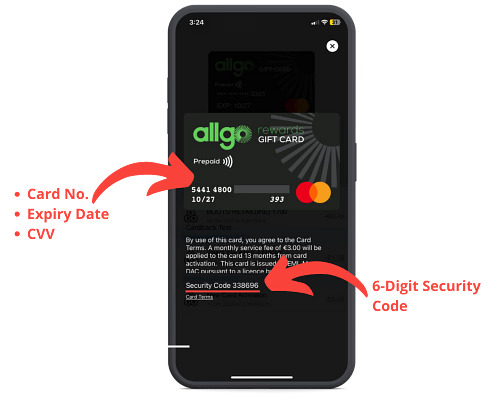
After you have redeemed your Digital+ Mastercard, you can open the Get My eCard app and simply tap the card preview image to reveal the full card details at any time. Here you will find card number, CVV, expiry date and 6-digit security code. 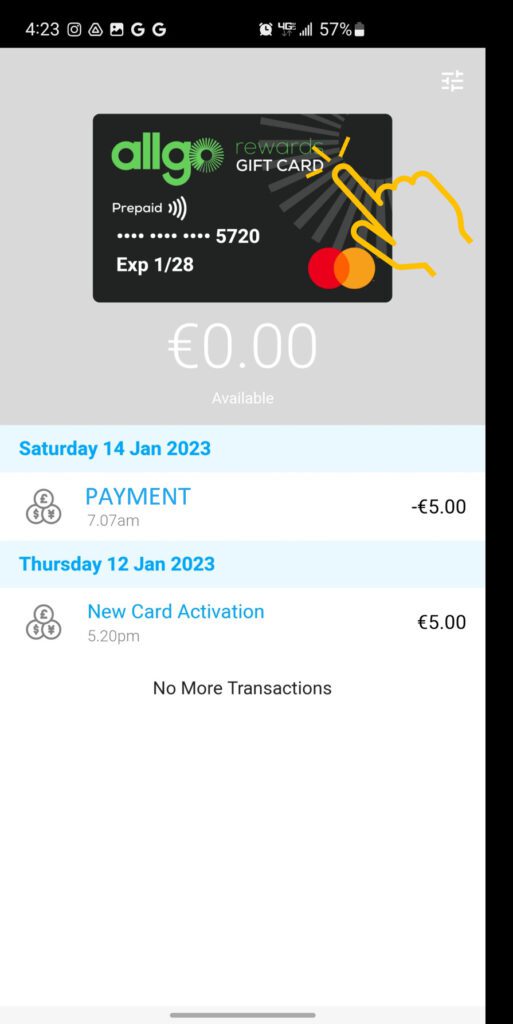
In general, no! Some stores, however, may have their own policy.
Google Pay is accepted in store, online and in app for unlimited payments wherever you see the contactless symbol or Google Pay logo. Google Pay has no limit on the number or value of in-store transactions. However, stores themselves may have a Google Pay contactless limit – in the same way that they will often have a €50 limit for standard contactless card transactions.
Apple Pay allows you to make secure purchases above the €50 contactless limit in participating shops across Ireland using your Mastercard with Apple Pay.
Some usage restrictions imposed by our card issuer may apply to your AllGo Mastercard. Please see here for further information.
If the Get My eCard app on your device is showing an error when you open it, similar to the image below, please check the App Store on your device and update the app to the latest version.

https://youtube.com/shorts/IdH6vQOOh3E?feature=share
If you have received and redeemed a Digital+ card recently, this would be linked to your email address you received the card to. If you wish to access a previous card from prior to October 2023, please-
This website uses cookies to enhance your experience. Some are essential for site functionality, while others help us analyze and improve your usage experience. Please review your options and make your choice.
If you are under 16 years old, please ensure that you have received consent from your parent or guardian for any non-essential cookies.
Your privacy is important to us. You can adjust your cookie settings at any time. For more information about how we use data, please read our privacy policy. You may change your preferences at any time by clicking on the settings button below.
Note that if you choose to disable some types of cookies, it may impact your experience of the site and the services we are able to offer.
Some required resources have been blocked, which can affect third-party services and may cause the site to not function properly.
This website uses cookies to enhance your browsing experience and ensure the site functions properly. By continuing to use this site, you acknowledge and accept our use of cookies.
